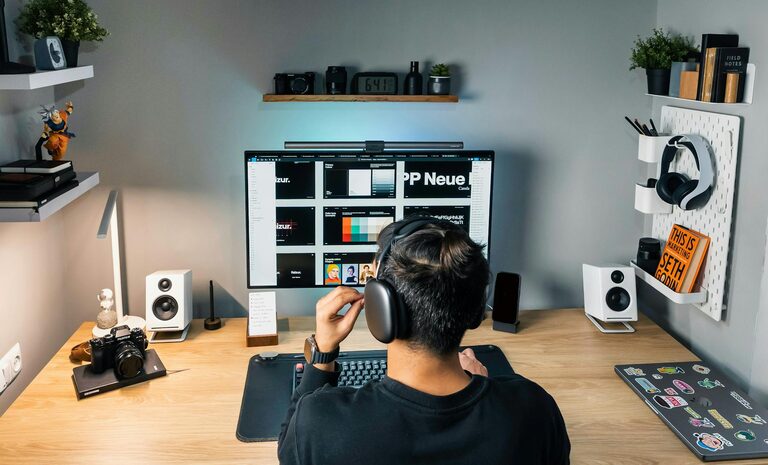
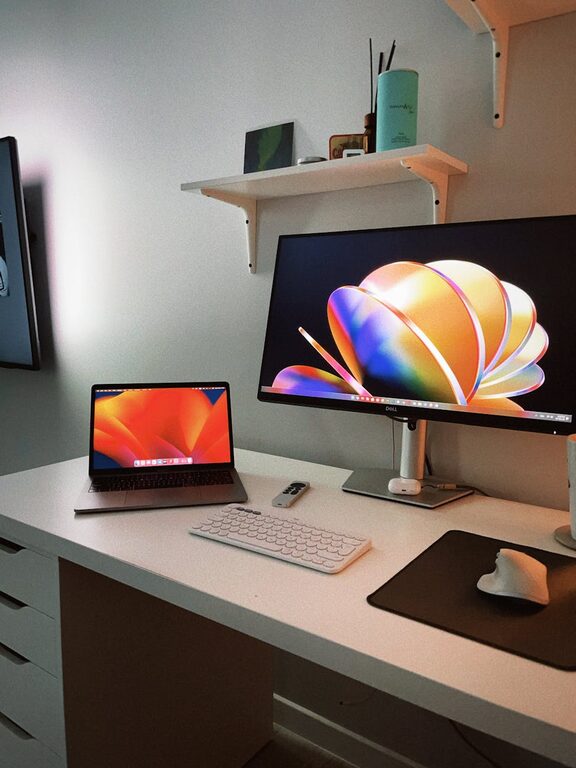
Creating a comfortable and efficient home office space is essential for maintaining productivity, especially as more people work remotely. A clutter-free environment helps reduce distractions, improves concentration, and can make working from home more enjoyable. This post will guide you through practical steps to organise your home office and keep it tidy.
Why a Clutter-Free Home Office Matters
Before diving into tips, it’s important to understand why keeping your office clutter-free benefits your work:
– Reduces Stress: A messy space can cause stress and overwhelm.
– Boosts Focus: Fewer distractions mean better concentration.
– Saves Time: Organised paperwork and tools are easier to find.
– Enhances Creativity: A clean space encourages clear thinking.
Step 1: Choose the Right Location
Start by selecting a dedicated spot for your home office. Ideally, this should be:
– Quiet and Private: Away from main living areas to minimise distractions.
– Well-lit: Natural light is best to reduce eye strain.
– Comfortable: Ensure space for a desk, chair, and storage.
Step 2: Declutter Your Space
Before setting up, remove anything that doesn’t belong or isn’t necessary for work. This might include:
– Old papers or notes
– Miscellaneous household items
– Food wrappers or mugs
Gather a box or bag for items to donate, recycle, or discard.
Step 3: Invest in Essential Furniture and Storage
Having the right furniture makes staying organised easier. Consider:
– Desk with Drawers: Keeps essentials within reach but out of sight.
– Ergonomic Chair: For comfort during long hours.
– Shelving Units: To store books or office supplies.
– Filing Cabinets or Boxes: To organise documents neatly.
Step 4: Use Organisational Tools Effectively
Small tools can make a big difference:
– Desk Organisers: For pens, paperclips, and stationery.
– Cable Managers: To prevent tangling and mess.
– Labelled Folders: Helps keep paperwork sorted.
– Bulletin Boards or Whiteboards: For reminders and notes.
Step 5: Keep Digital Files in Order
Physical clutter isn’t the only issue. Digital clutter can also reduce productivity:
– Create clear folders for work documents.
– Use cloud storage for easy access and backup.
– Regularly delete or archive files you no longer need.
Step 6: Maintain Daily Routines to Stay Clutter-Free
Organising is an ongoing process. Develop habits such as:
– End-of-Day Tidying: Spend 5–10 minutes clearing your desk.
– Sort Incoming Paperwork: Deal with mail and documents promptly.
– Limit Personal Items: Keep only a few meaningful items to personalise your space.
Step 7: Personalise Wisely
A few personal touches can make your office inviting without causing clutter:
– A small plant for freshness.
– Family photos in neat frames.
– Inspirational quotes or artwork.
Step 8: Optimize Lighting and Ergonomics
Proper lighting and a comfortable setup improve focus and reduce fatigue:
– Use adjustable desk lamps to prevent glare.
– Position your screen at eye level.
– Keep your feet flat on the floor or on a footrest.
Step 9: Review and Adapt Regularly
Your needs may change over time. Periodically:
– Assess what’s working and what isn’t.
– Rearrange if necessary to improve workflow.
– Purge unnecessary items every few months.
Final Thoughts
A well-organised, clutter-free home office supports better productivity and makes working from home more enjoyable. By choosing the right location, decluttering regularly, using effective storage, and practising good habits, you can create a space that helps you focus and work efficiently.
Give these tips a try and enjoy the benefits of a tidy, inspiring home office!
About the Author